Protocols, written with regulatory intelligence.
A structured clinical-trial protocol authoring system. Replaces Word-template chaos with a field-level editor where every entry carries its citation, every change propagates, and the Word output renders live.
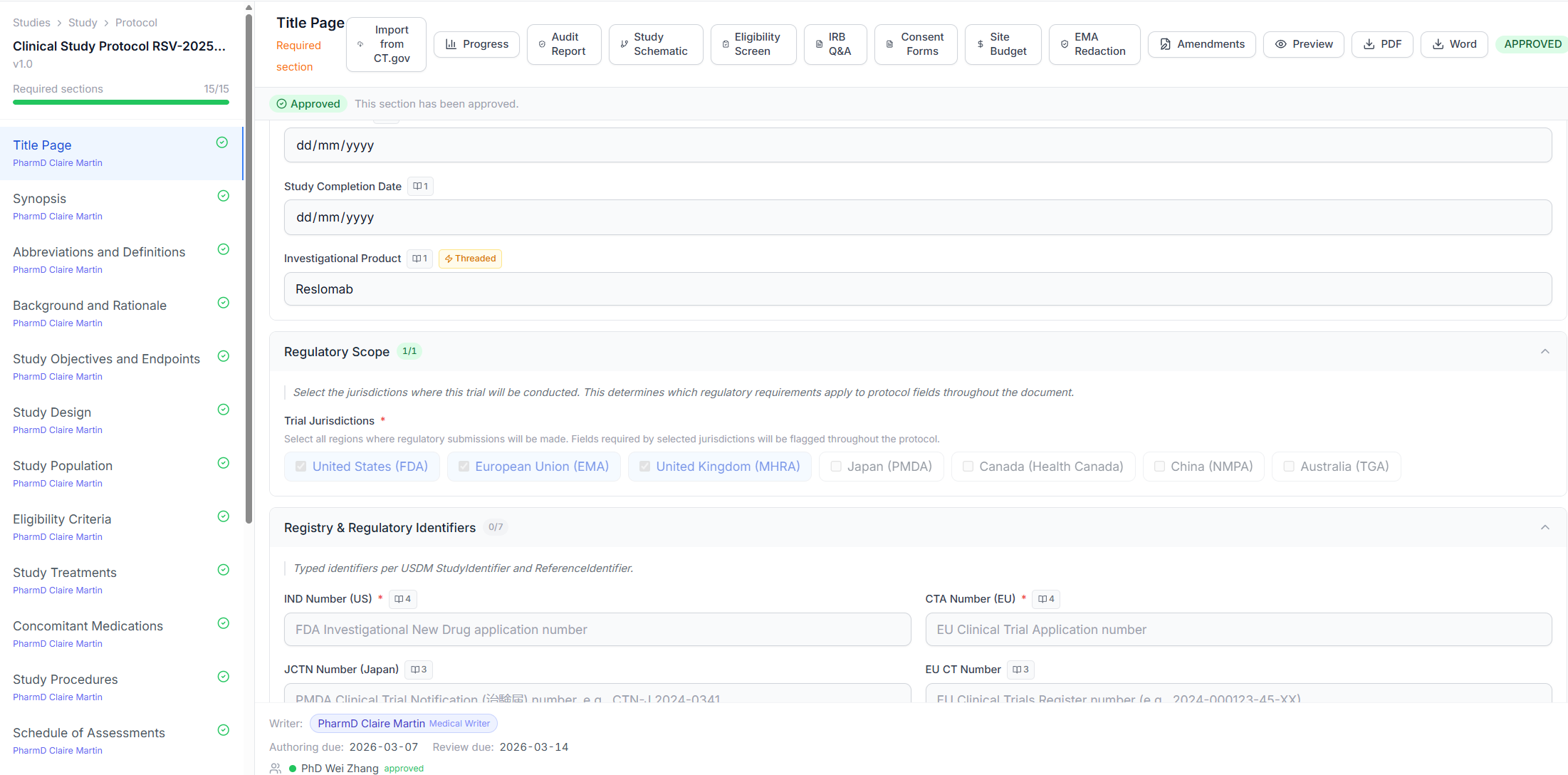
Every field knows which regulation it answers to.
When a writer fills in the primary endpoint, a statistical analysis population, or an exclusion criterion, Authoring surfaces the specific regulation or guidance section that requires it, and why the value they entered satisfies it.
- ICH E6, E8, E9, M11 citations linked at the field level
- FDA, EMA, and PMDA guidance references maintained by our regulatory team
- Audit trail captures rationale with every save
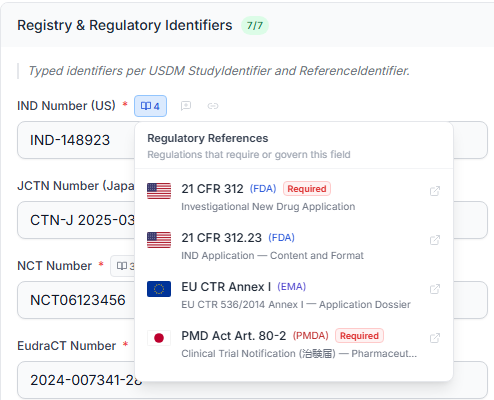
Assign every section an owner and a deadline.
With the regulatory scope set, hand each protocol section to a named owner and a due date. Trelice keeps every assignment in one pending-tasks queue showing who holds each section and what’s in review, and flags overdue work in red so nothing quietly slips.
- Section- and step-level ownership by named role
- Due dates with automatic overdue flagging
- One pending-tasks queue across the whole protocol
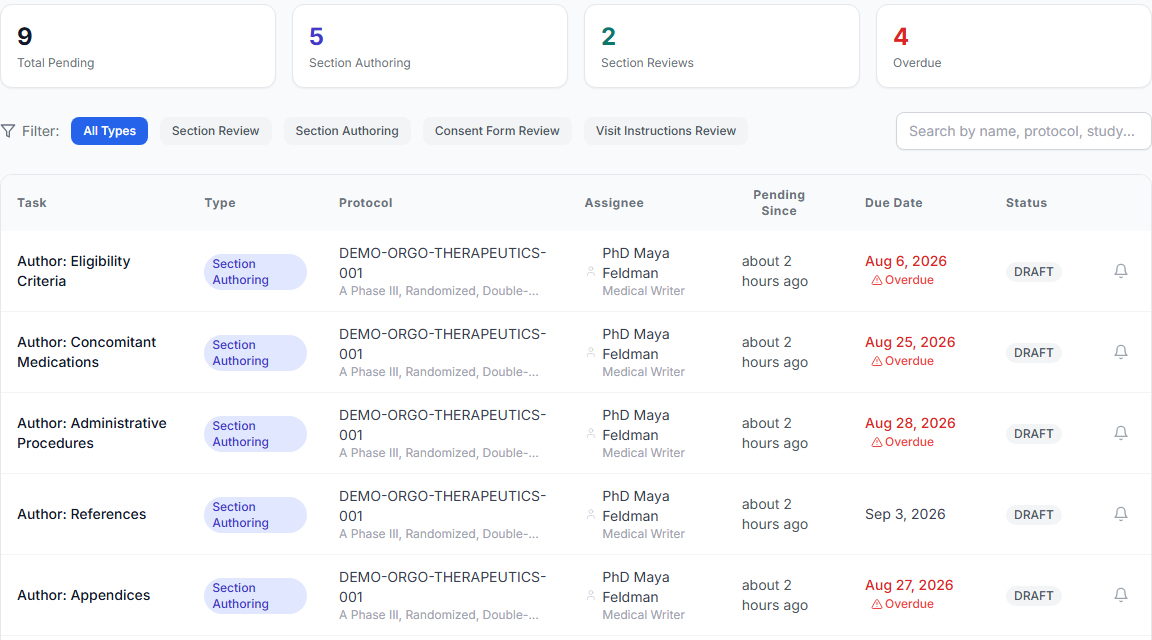
Change an endpoint. Watch every relevant section update itself.
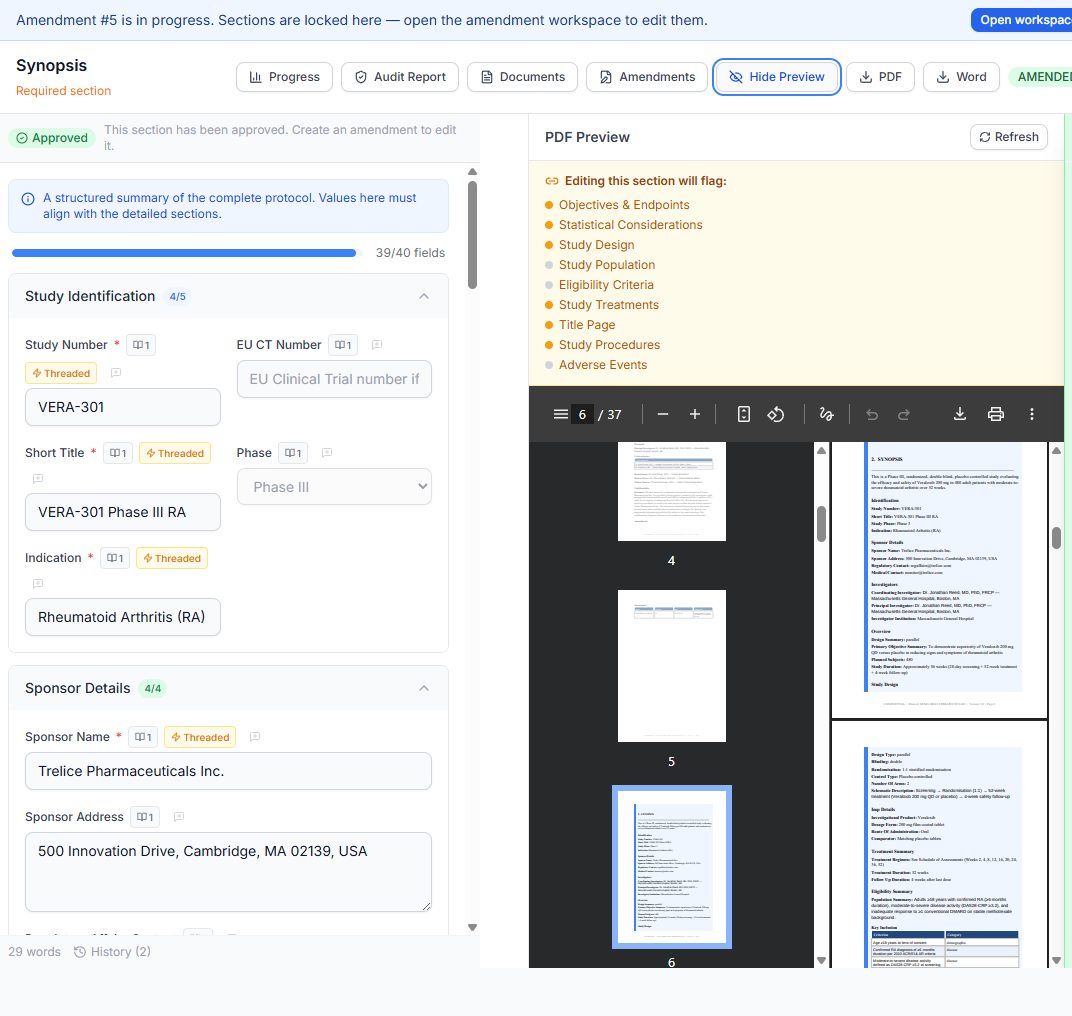
Trelice’s protocol modules are intelligently linked together. When you revise a field that appears in multiple protocol sections (a primary endpoint, say), the platform propagates the change to every other relevant section (synopsis, eligibility, objectives, statistical analysis), so nothing falls out of sync.
- Repeating data tagged by the system
- Bidirectional links between all related fields
- Change-impact preview before you commit
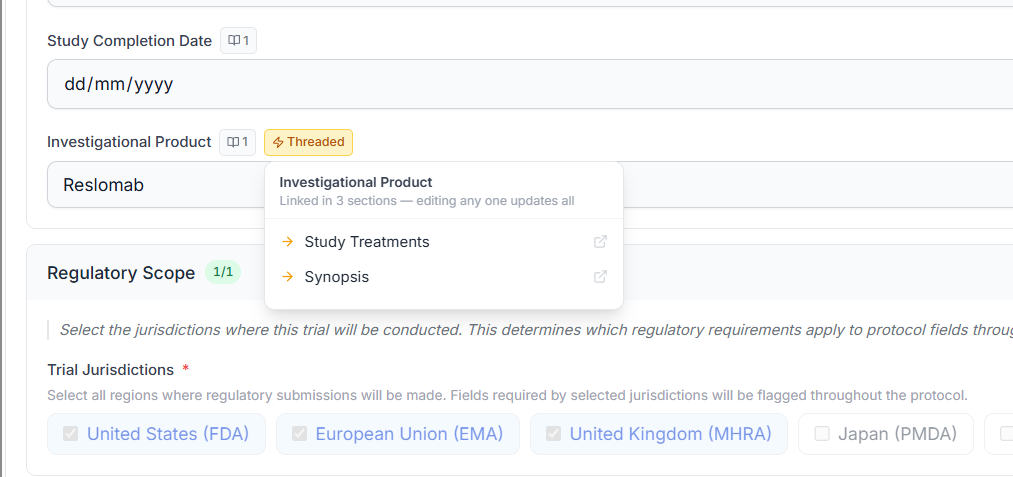
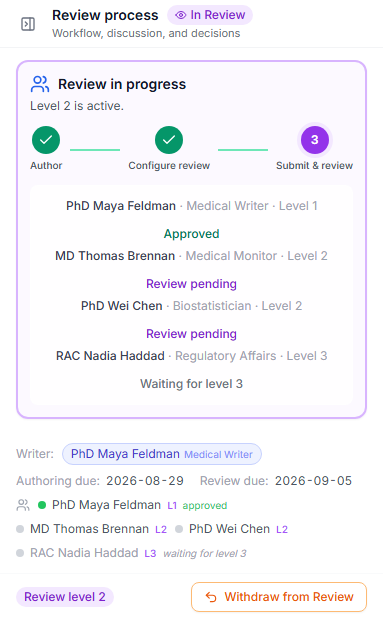
Assign reviewers, and watch the approvals roll in.
No more frantically chasing down team members via email to make sure they reviewed the protocol. Simply assign reviewers in Trelice and watch the approvals roll in. Export the review and approval audit trail with the click of a button to demonstrate regulatory compliance.
- Assign named reviewers and approvers per section
- One-click export of the full review & approval audit trail
- Electronic signatures on every sign-off, architected for 21 CFR Part 11
Submission-ready formatting, checked automatically.
Once you’ve finished writing, Trelice automatically QCs your protocol for consistency, adds bookmarks and in-document linking, and puts all formatting in submission shape. What used to take medical writers weeks is now done automatically in minutes.
- Automated consistency and terminology checks
- Bookmarks and in-document cross-links added for you
- Submission-ready formatting applied in minutes, not weeks
See your protocol in Word or PDF, live as you type.
Prefer to see your protocol in Word or PDF as you go? The live document preview updates as you type. Export at any time to get the fully-formatted, regulatory-compliant Word or PDF document in real time.
- Faithful Word and PDF rendering with your organization’s template
- Track changes, comments, and redlines preserved on export
- One-click submission-ready PDF with bookmarked sections
Synopsis to IND-ready, without the three-week sync cycle.
Import synopsis
Paste your synopsis or upload a Word draft. Trelice extracts endpoints, eligibility, and design parameters into structured fields.
Author with rationale
Fill each section in the structured editor. Citations surface inline. Reviewers see exactly what regulation every choice answers to.
Propagate changes
Edit a primary endpoint once. Eligibility, SAP, ICF, and screening forms update automatically, with change-impact preview.
Export to regulator
Render the Word document with your TransCelerate template. Submission-ready PDF with one click.
Fits into your existing stack.
Veeva Vault
Export approved protocols to your Vault of record.
SharePoint
Sync final documents to your sponsor’s repository.
Okta / Azure AD
SSO with the identity provider you already run.
DocuSign
E-signatures on approval, architected to support 21 CFR Part 11 requirements.
See it on your protocol.
Bring a synopsis. We'll walk you through Authoring in 30 minutes.
Book a demo